Inside a live workspace
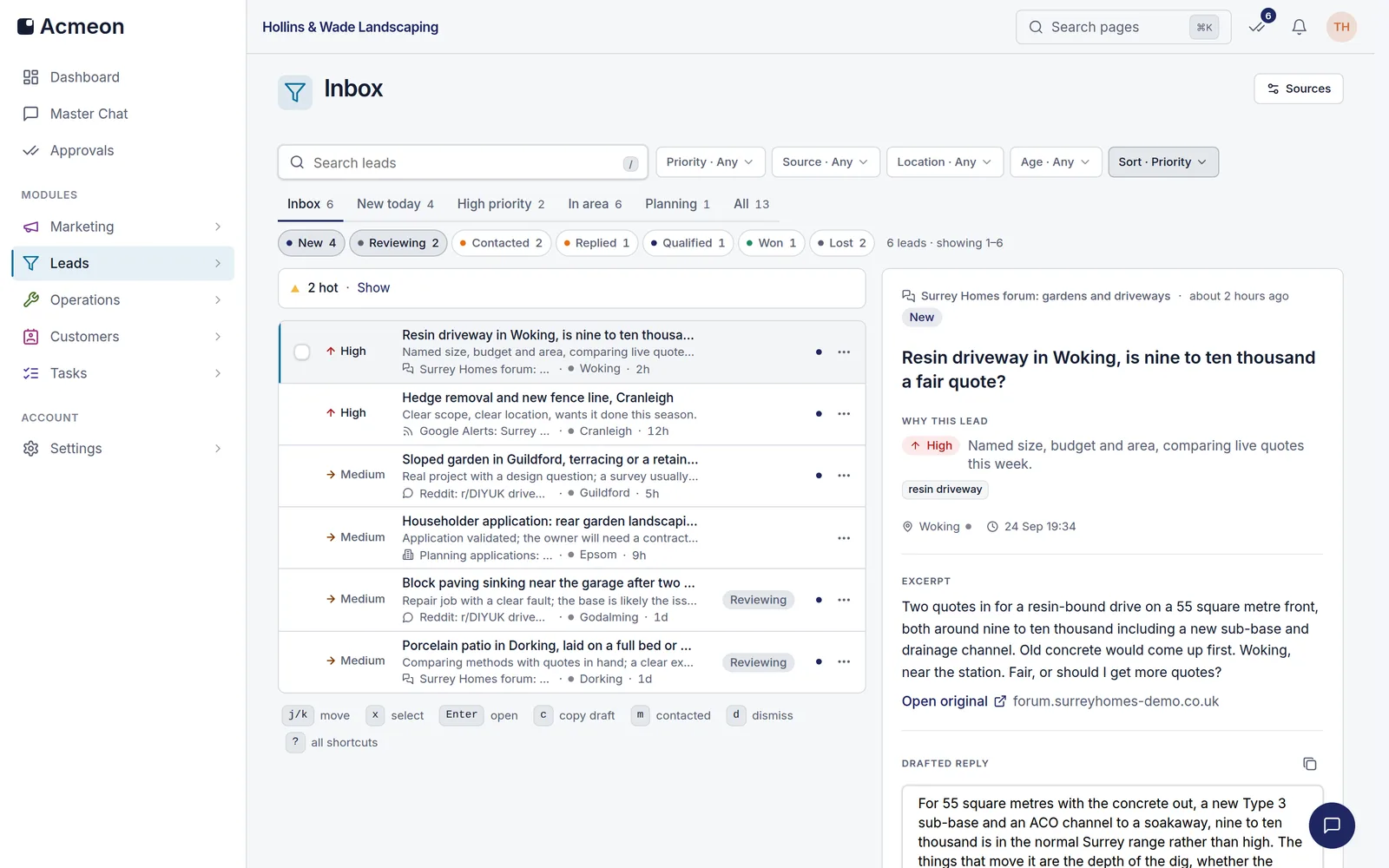
The lead inbox of a live Acmeon workspace: every enquiry the agent found, ranked, with a first reply already drafted.
What you get on day one
Six modules, staffed from day one
Each module is an agent doing a real job, with its output laid out for review before it goes anywhere.
Marketing
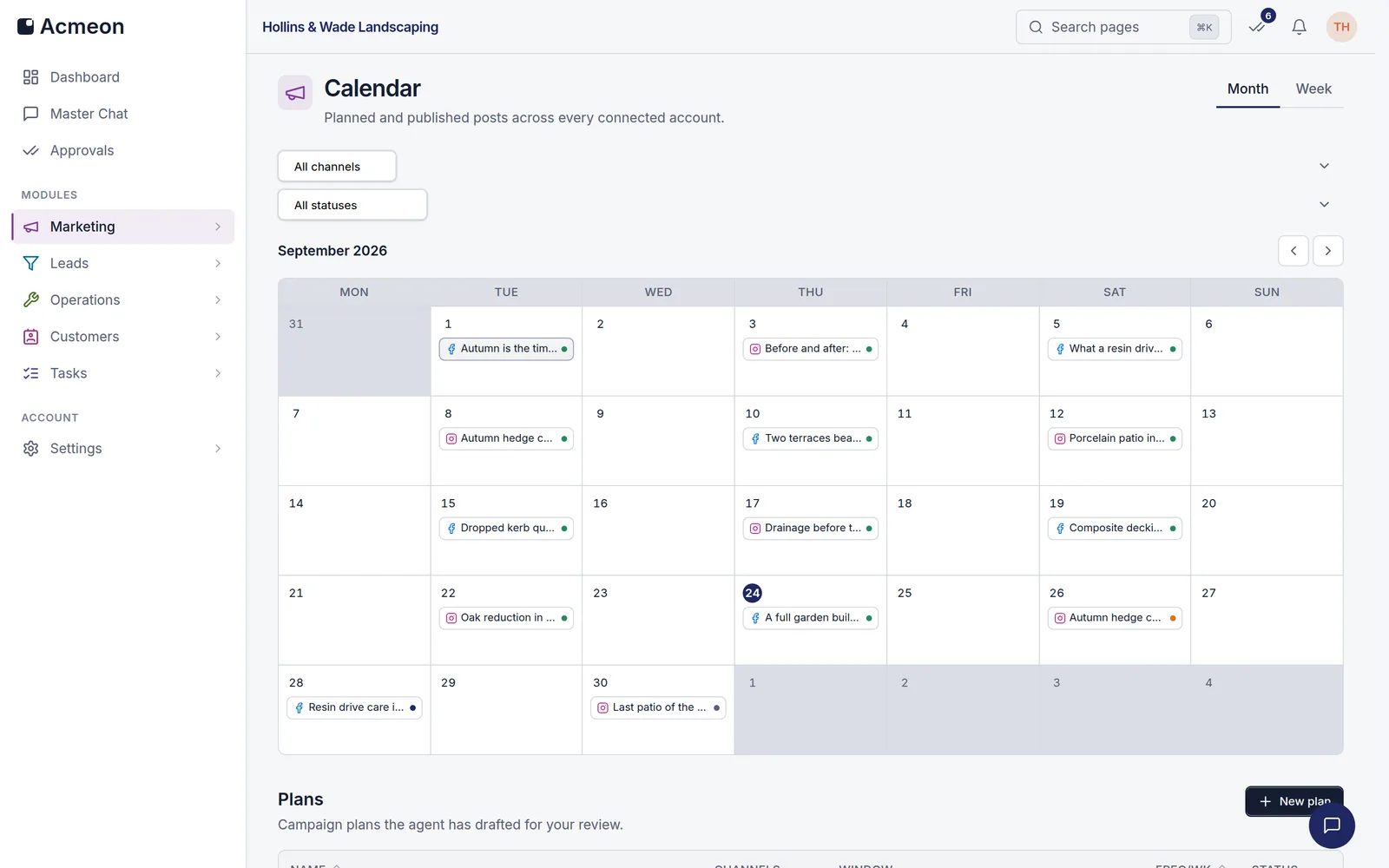
A content calendar the agent fills, with drafts written in your voice and scheduled across your channels.
Campaign plans carry the objective, channels, posting frequency and tone. The calendar shows the month at a glance, and every post can wait in the approval queue before it publishes.
Leads
Every enquiry lands in one ranked inbox, qualified and with a first reply already drafted.
The agent watches forums, Reddit and RSS feeds you point it at. Each lead arrives scored High to Low with the reasoning written down, and moves across a board from New to Replied.
Operations
Quotes priced from your own rate library, and a knowledge base your agents answer from.
Estimates price labour and materials line by line, with saved revisions and CSV export for the client file. The knowledge base holds the documents your agents ground their answers in.
Customers
Email and social threads in one place, with suggested replies held for your sign-off.
A thread carries the whole conversation. Replies wait for your approval by default; a thread you trust can be set to answer on its own, and anything sensitive is handed to a person.
Approvals
One queue for every decision. Approve, edit or reject, and the agent carries it out.
Work from every module lands in the same queue, oldest first. A decision is one tap, and the agent that raised the item executes it the moment you approve.
Tasks
The team's task board, with reminders that chase what is overdue so nobody has to.
Everyone in the workspace sees the board and adds to it. Reminders chase overdue tasks and escalate when they stay overdue; per-member reports and team settings sit behind an admin grant.
The approval loop
How it works
The loop that runs every module: agents produce, you decide, the record keeps itself.
- 1
Agents draft
Your agents plan campaigns, price jobs and write replies from your business profile and your rules.
- 2
Your team approves
Outbound work waits in one queue. Approve it in a tap, or say what to change.
- 3
It ships
Approved work goes out on schedule, and the audit log records who approved what, and when.
When a module has earned your trust, switch it to autonomous in Settings and give it a daily cap. It acts within the cap, and the audit log still records every action.
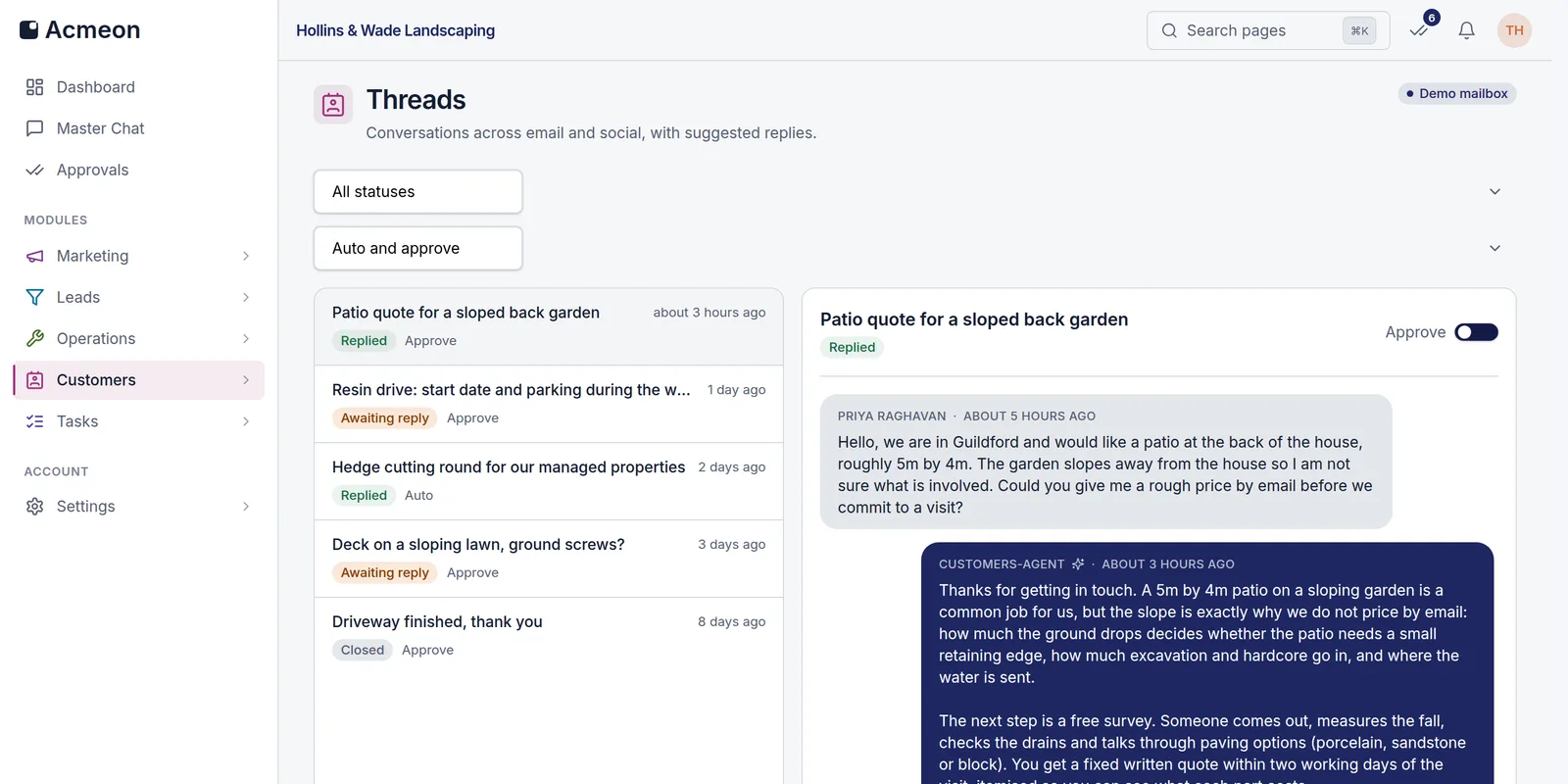
A customer thread in the console: the agent's reply beside the enquiry, with per-thread control over whether replies wait for sign-off.
Inside the console
Real screens, not mock-ups
Both screens below are captured from a live Acmeon workspace. This is the console you sign into on day one.
The marketing calendar
A month of posts across Facebook and Instagram, planned by the agent under a campaign brief and published on schedule once approved.
A priced estimate
Labour and materials priced line by line from the workspace rate library, with saved revisions and a CSV export for the client file.

First workspace
Already running a real business
The first Acmeon workspace runs the daily operations of Trident Modular Housing, a UK modular buildings company. The console you get is the console they run on.
Marketing
Campaign plans and a posting calendar for its modular home and garden office builds.
Leads
Enquiries found on forums, Reddit and RSS feeds, ranked and answered from one inbox.
Estimates
Garden house estimates priced line by line from the company's own rate library.
Questions
Asked before signing up
Yes. Every workspace is its own organisation: leads, posts, estimates, threads and settings are stored against it, and every query is scoped to the workspace you belong to. Roles inside the workspace control who can manage members and settings.
Put an operations team behind your business
Create a workspace, fill in your business profile, and review the first drafts the same day. Nothing reaches a customer until someone you trust has approved it.